Skip to content

Publishing

Schedule once, publish everywhere, sleep at night.

Native auto-publishing for every major channel — with the quirks of each one handled so your team doesn't have to think about them.

Scheduling
Ask AI about this feature

Numbers the ops team will quote.

8

native channels

Instagram, Facebook, TikTok, LinkedIn, YouTube, Pinterest, X, Google Business.

300hrs

saved every month

One franchise customer reclaimed 300 hrs of manual work.

91%

CSAT rating

Across 10,000+ marketers using Sked.

Native publishing for every channel that matters.

Instagram, Facebook, LinkedIn, TikTok, Pinterest, YouTube, X, Google Business. Stories, Reels, carousels, first comments, location tags, user tags — it's all handled, not half-supported.

Built-in publishing depth

Three places most schedulers drop the ball.

  • Every native channel

    Instagram, Facebook, LinkedIn, TikTok, Pinterest, YouTube, X, Google Business — native auto-publish. Notification-based for Threads and Snapchat.

  • Stories with link stickers

    Auto-publish Instagram Stories complete with interactive link stickers. Sked is the only platform that does this — no phone reminder, no manual step.

  • Pillar-aware queues + labels

    Separate queues per pillar, per brand, per channel. Labels tag posts with campaign, client or region so reporting stays clean.

Post types most schedulers half-support.

Instagram Reels with custom thumbnails. TikTok carousels. Pinterest video pins. LinkedIn document carousels. Google Business post types. Every post type, first-class citizen.

How Sked compares

Stories link stickers: Sked ships them native.

Hootsuite
  • Instagram Stories: phone-reminder only
  • No auto-publish for link stickers
  • Custom Reel thumbnails: not supported
Sked Social
  • Instagram Stories auto-publish natively
  • Interactive link stickers included
  • Custom Reel thumbnails on every publish

Labels turn the feed into a reportable system.

Tag posts with content labels — campaign, pillar, client, region, any custom taxonomy. Labels carry through to analytics. Pillar-level reporting without spreadsheet reshaping.

Scheduling that respects your week

Schedule a month in a morning. Not a week.

The friction

Posting native on every channel takes a tab per platform .

Each network has its own quirks — caption length, native upload sizes, story-vs-feed cadence. Stitching them across six tabs is where Friday afternoons go to die.

  • Each network = its own UI quirks
  • Native uploads matter for reach
Product
Behind-scenes
Community
Education

What Sked does

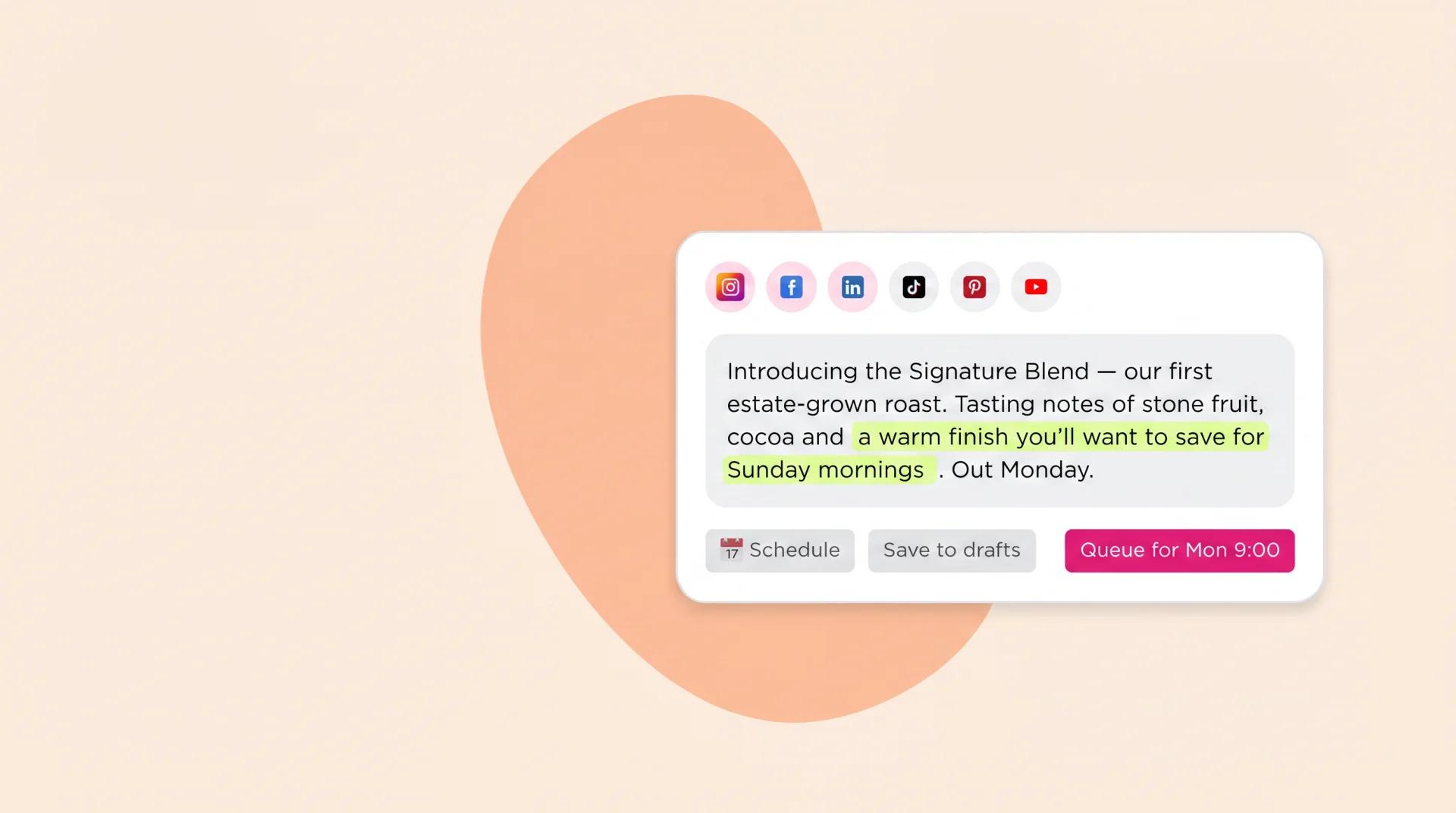
One queue, native publishing on every channel .

Instagram, Facebook, LinkedIn, TikTok, YouTube, Pinterest, X, Google Business — all native, all from one queue. Carousels, Reels, Stories supported where the network supports them.

  • 8+ networks, native publish
  • Carousel + Reels + Story support
  • Smart-time posting per channel
MO

Swap the first slide for the product shot?

✓ Done — pushed the new cover just now
JR

Perfect. Approving.

What changes

Friday afternoons stop being scheduling afternoons .

A month of content lined up before lunch on Monday. The strategy work — the part that needs your brain — gets the rest of the week.

  • Avg time to schedule a week: ~22 min
  • Bulk uploader for content batches
MA JR LC
On now — avg. reply 4 min
Sydney · London · New York

Twelve scheduling capabilities. One queue.

  • Auto-posting

    Native auto-publish to every supported channel — no push notifications, no manual confirms.

  • Post reminders

    Push reminders for the platforms that don't allow native publishing — IG Stories, certain TikTok formats.

  • Bulk scheduling

    Upload a CSV or drag a content batch — Sked queues each post per channel and per cadence.

  • Cross-posting

    Post once, publish to many. Per-channel caption + asset overrides without re-uploading.

  • Best times to post

    Sked recommends the slot per audience by analysing your past engagement, not generic global benchmarks.

  • Visual calendar

    Month / week / day views. Drag to reschedule. Filter by brand, label, status, channel.

  • Grid planner

    See your IG feed before it ships. Drag posts to rearrange grid composition without unscheduling.

  • Post previews

    See exactly how the post renders per channel — captions, hashtags, link cards, story stickers.

  • Comment scheduling

    Queue first comments alongside the post — link drops, hashtag stacks, Q&A starters.

  • Custom workflows

    Per-brand approval flows, role-based permissions, audit logs that hold up to a procurement review.

  • Client calendars

    Per-client read-only calendars. Send a link, no login required, all upcoming posts in one view.

  • Schedule on the go

    Full-feature iOS + Android apps. Schedule, reply, approve, analyse from anywhere.

  • Shoppable Instagram posts

    Tag products natively in the scheduler. Instagram's shopping tags get applied at publish time — not retro-fitted after the fact.

  • Holiday + editorial calendars

    Pull holidays, awareness days, and editorial calendars into your schedule. Important moments queue themselves; you don't miss the day-of scramble.

The whole queue, every channel, from one calendar — it's the difference between marketing as a job and marketing as a craft .
Native publishing across
SOC 2 Type 2 G2 High Performer 2025
InstagramFacebookLinkedInTikTokYouTubePinterestX (Twitter)InstagramFacebookLinkedInTikTokYouTubePinterestX (Twitter)
“The standout for me is Sked's approvals flow. My clients have been on a tour of approvals processes with me and we all agree, Sked's approvals process is the most user-friendly and best for team collaboration.”

Jenessa S.

SMALL-Business

“Sked has been fantastic for our company in managing our SM and Google presence. It has also reduced our time spent with manual processes, allowing us to serve our clients better and giving them more value so we can keep our fees conservative and put our focus on high-value business development opportunities.”

Sarah P.

SMALL-Business

“Sked Social is an excellent social media management tool that has greatly simplified the process of scheduling and managing content across multiple platforms.”

Conor B.

Mid-Market

Plan the week in one view

Your whole content calendar, drag and drop

Every scheduled post and the upcoming queue in a single view, so nothing slips through.

Common questions

Questions about Scheduling.

  • Which platforms can Sked auto-publish to?

    Instagram, Facebook, TikTok, LinkedIn, YouTube, Pinterest, X and Google Business Profile — native auto-publish. Threads and Snapchat use notification-based publishing.

  • Do you support Stories and Reels with link stickers?

    Yes. Instagram Stories auto-publish with interactive link stickers — a differentiator Sked holds over Hootsuite, Sprout, Later and Agorapulse. Reels support custom thumbnails on publish so your grid stays on-brand.

  • Can I schedule video content natively?

    Yes. TikTok videos, Instagram Reels, YouTube Shorts, carousel Reels, feed videos. Trim and thumbnail in Sked's built-in editor before you schedule.

  • What about first comments, product tags and user tags?

    All supported. Auto-posting first comments, product tags on Instagram feed and Reels, user tags, location tags. The per-channel quirks are handled so your team doesn't have to think about them.

  • Can I tag posts with labels for campaigns or pillars?

    Yes — content labels on every post. Tag by pillar, campaign, client, region or any custom taxonomy. Labels carry through to analytics, so pillar-level reporting works without spreadsheet reshaping.

See Scheduling in action. Start your 14-day trial.

Try Sked free for 14 days — no credit card, no lock-in. Just the connected workspace your team has been asking for.