Skip to content

Assets

Your brand's media, all in one place.

A centralised asset library with tagging, versioning and built-in image + video editing — inside the platform, where the posts live.

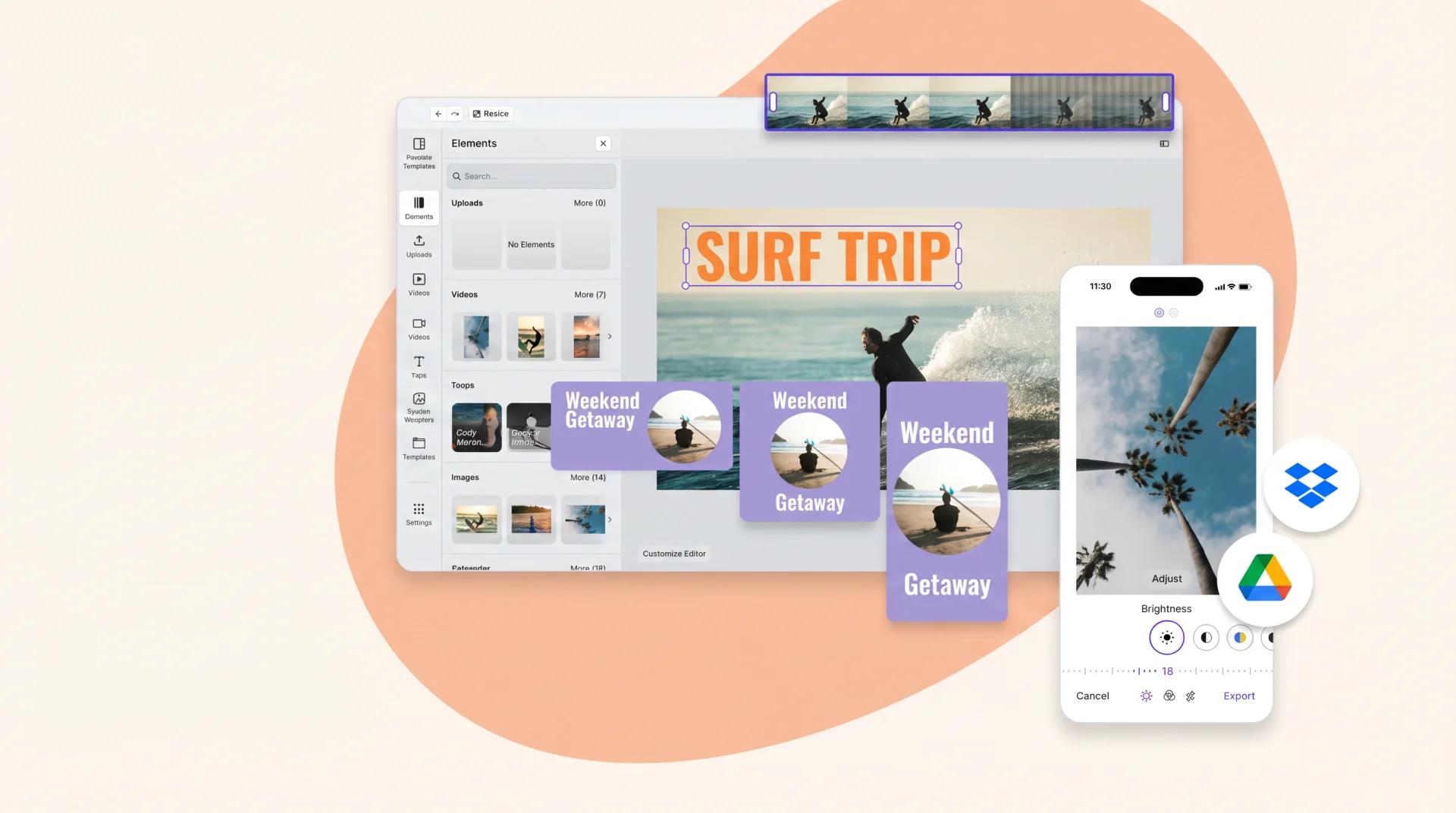
Sked media library and image/video editor.
Ask AI about this feature

Three jobs one shared library does.

Unified

team library

Tag, version and share every asset across the plan's seats.

91%

CSAT rating

Across 10,000+ marketers using Sked.

Timeline

video editor built-in

No round-trip through Premiere Rush or CapCut.

Go from creation to approvals to publishing — all in one place.

Pillar tags, campaign tags, brand tags, seasonality tags. Versioning so old cuts stay accessible. Find what you need, pull what you shot, reuse what worked.

What's in the library

Three things most schedulers send you elsewhere for.

  • Tagged, versioned library

    Pillar tags, campaign tags, version history. Find what you need, pull what you shot, reuse what worked.

  • Image editing in-platform

    Crop for every aspect ratio, adjust exposure, add text overlays. No round-trip through another tool.

  • Built-in video editor

    Full-timeline editor inside Sked. Trim, merge, text, audio, effects. One of a handful of schedulers with a real editor.

Your team's creative library, one workspace.

Shared library across every seat on your plan. Role-based access if some assets need to stay client-only. Integrations with Canva, Dropbox, Drive and Frontify for when the source of truth lives elsewhere.

A media library that doesn't drown you

Find the asset. Use the asset. Re-use the asset.

The friction

Brand assets scattered across Drive, Dropbox, and DMs.

The hero shot you need is in someone's email. The brand-approved logo is in Drive. The Reel template is in Dropbox. So the new post uses last week's assets, again.

  • Asset hunt = 15 min per post
  • Old assets get reused because they're easier to find
Product
Behind-scenes
Community
Education

What Sked does

One library, per-brand. Edit in place . Schedule from there.

Upload, tag, search, edit. Crop for each channel without re-uploading. Drag straight from library into the scheduler. Approved assets are flagged, expired ones archived.

  • Per-brand library + tagging
  • Per-channel crop without re-upload
  • Approval status per asset
MO

Swap the first slide for the product shot?

✓ Done — pushed the new cover just now
JR

Perfect. Approving.

What changes

Brand consistency stops being an accident .

Every post pulls from the same approved library. Designers stop being interrupted for the same six assets. New team members ramp by browsing what 'on-brand' actually looks like.

  • Per-asset usage analytics
  • Approval workflow per asset
MA JR LC
On now — avg. reply 4 min
Sydney · London · New York

One library, per brand. Edit in place.

  • Per-brand library

    Each brand gets its own asset library. Photos, videos, GIFs, templates. Tagged, searchable, shareable.

  • Per-channel crop

    One source asset, multiple aspect crops. Crop for IG feed (1:1), Story (9:16), LinkedIn (1.91:1) — without re-uploading.

  • Approval status

    Mark assets approved, draft, or expired. Approved-only filter per workspace stops off-brand content sneaking through.

  • Tag + organise

    Tag assets by campaign, season, mood, category. Filter library + scheduler by any tag combination.

  • Per-asset usage analytics

    See which assets ship most often, which drive engagement, which are sitting unused. Asset-level ROI.

  • Brand-locked sharing

    Agencies: share an asset library with a specific client. Lock to that brand. Revoke per project end.

Approved-only filter stops off-brand assets at the door . Per-channel crops mean one source asset works everywhere.
Per-channel crops for
SOC 2 Type 2 G2 High Performer 2025
InstagramFacebookLinkedInTikTokYouTubePinterestInstagramFacebookLinkedInTikTokYouTubePinterest
“Sked has saved us hours every week. Between streamlined reporting, faster insights, and clear visualizations, it’s the kind of tool you wonder how you ever worked without. Total game-changer.”

Celine

Social Guppy

“Sked has been fantastic for our company in managing our SM and Google presence. It has also reduced our time spent with manual processes, allowing us to serve our clients better and giving them more value so we can keep our fees conservative and put our focus on high-value business development opportunities.”

Sarah

small-business

“Possibly the biggest game-changer is Sked's approvals flow. My clients have been on a tour of approvals processes with me and we all agree, Sked's approvals process is the most user-friendly and best for team collaboration.”

Jenessa

small business

Compose once, post everywhere

Build the post with your media right there

Pull from your library, crop per channel and preview the post before it is scheduled.

Common questions

Questions about Media library & editor.

  • Which file types are supported in the library?

    Images (JPG, PNG, WebP, HEIC), video (MP4, MOV) and GIFs. Unified library with tagging and versioning. Pull from Canva, Dropbox, Drive or Frontify when the source of truth lives elsewhere.

  • Can I edit video inside Sked?

    Yes — a full-timeline video editor. Trim, merge, text, audio, effects. One of a handful of platforms in the category with a real editor, not a crop tool.

  • How do I tag and organise assets?

    Tag by pillar, campaign, brand, seasonality, or any custom tag. Versioning keeps old cuts accessible. AI-suggested tagging means you're not manually labelling every upload.

  • Can my whole team share the library?

    Yes. Shared library across all seats on your plan, with role-based access when some assets need to stay client-only or team-only.

See Media library & editor in action. Start your 14-day trial.

Try Sked free for 14 days — no credit card, no lock-in. Just the connected workspace your team has been asking for.