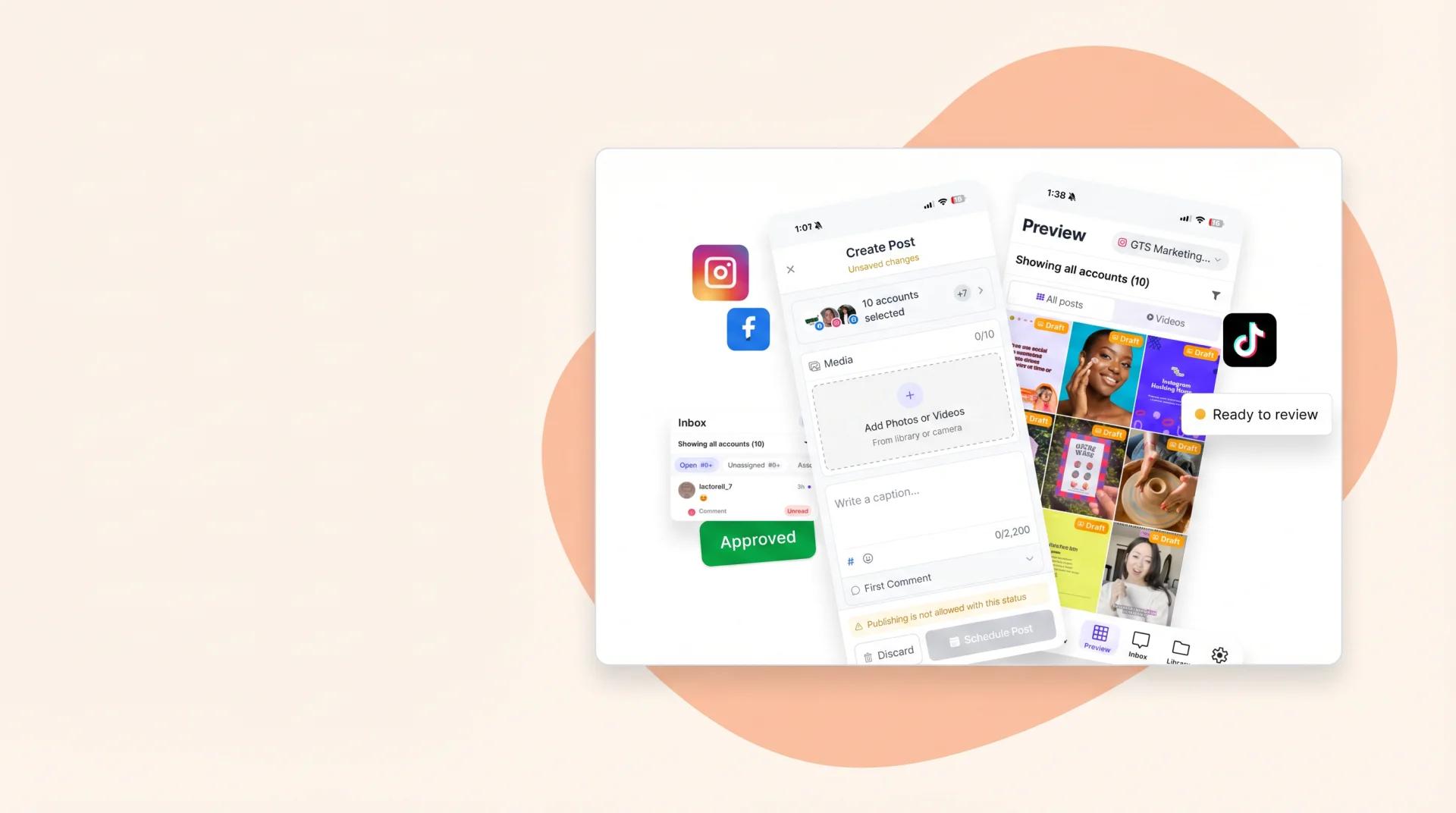
Mobile
Review, reply, approve — from your phone.
iOS and Android apps keep the team moving when you're away from the desk. Push notifications for approvals, inbox replies and report alerts.
Sked where you are
Three things mobile actually needs to do.
both native
Free download on App Store and Google Play.
notifications
Approvals, inbox, report alerts ping your phone.
CSAT rating
Across 10,000+ marketers using Sked.
Review, reply, approve — without opening a laptop.
For reviewers on the road. For social leads at industry dinners. For agency leads approving client work at 8am from a hotel room.
What the app does well
Three jobs worth reaching for your phone.
-
Review and approve on mobile
Approval requests ping your phone. Review the post, leave feedback, approve — without opening a laptop.
-
Inbox replies on the go
Respond to DMs, comments and Google reviews from the app. Same unified inbox, one swipe away.
-
Posts you can post
Schedule or edit posts from your phone. For moments when 'I'll do it on Monday' isn't going to cut it.
Same Sked. Just the parts you need on the go.
Full web app at the desk, focused mobile app on the phone. One login, same brand kits, same approval chains. No separate workflow, no separate learning curve.
Common questions
Questions about Mobile app.
-
Is it iOS and Android?
Both. Free download on the App Store and Google Play. Same login as your web account.
-
Can I post from mobile?
Yes. Schedule, edit or reschedule from your phone. For when 'I'll sort it on Monday' isn't going to cut it.
-
Do approvals work from the app?
Approval requests ping as push notifications. Review the post, leave feedback, approve — without opening a laptop. Particularly useful for reviewers on the road.
-
Where do I download?
iOS: App Store, search 'Sked Social'. Android: Google Play, same search. Free for every paid Sked plan.
See Mobile app in action. Start your 14-day trial.
Try Sked free for 14 days — no credit card, no lock-in. Just the connected workspace your team has been asking for.